
How to Export Your X (Twitter) Archive ZIP & Analytics CSV
Need to bulk delete more than 3,200 old tweets or all-time likes?
Choose X Content Analytics CSV for instant zero-wait export, or request your Official X Data Archive ZIP for complete multi-year history & likes.
Drop either file into XClean — parsed 100% locally in browser RAM with zero server upload.
💡 Privacy note: XClean reads your ZIP or CSV directly inside local browser memory. Zero bytes ever leave your computer.
X Analytics CSV vs. Official Data Archive ZIP
Pick the fastest export option depending on whether you need recent months immediately or your entire account history.
| Comparison Factor | Method 1: X Analytics CSV (Instant) | Method 2: Official Archive ZIP (Complete) |
|---|---|---|
| Wait Time from X | 0 seconds — click download and save .csv immediately. | Usually 24 hours while X compiles your full data archive. |
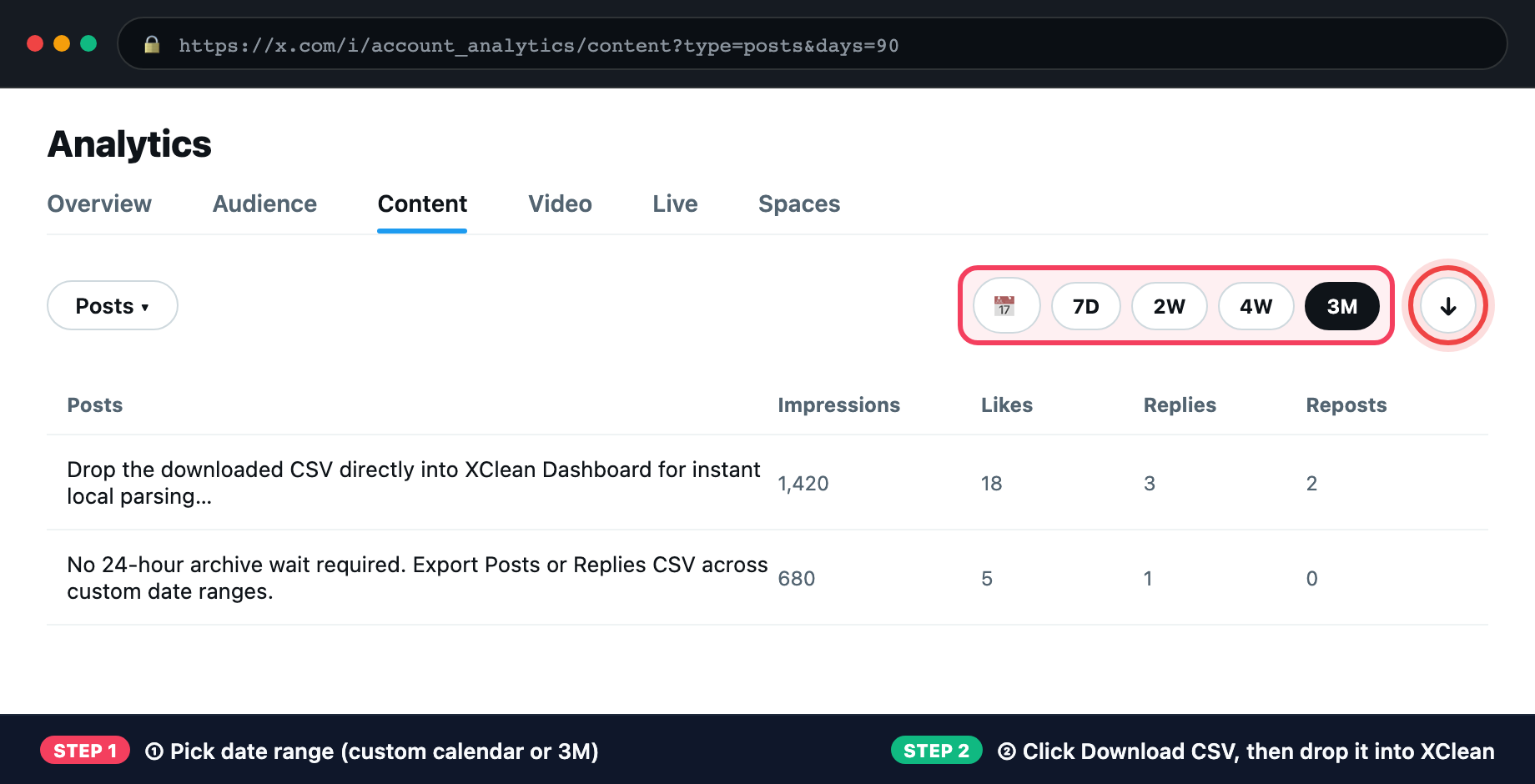
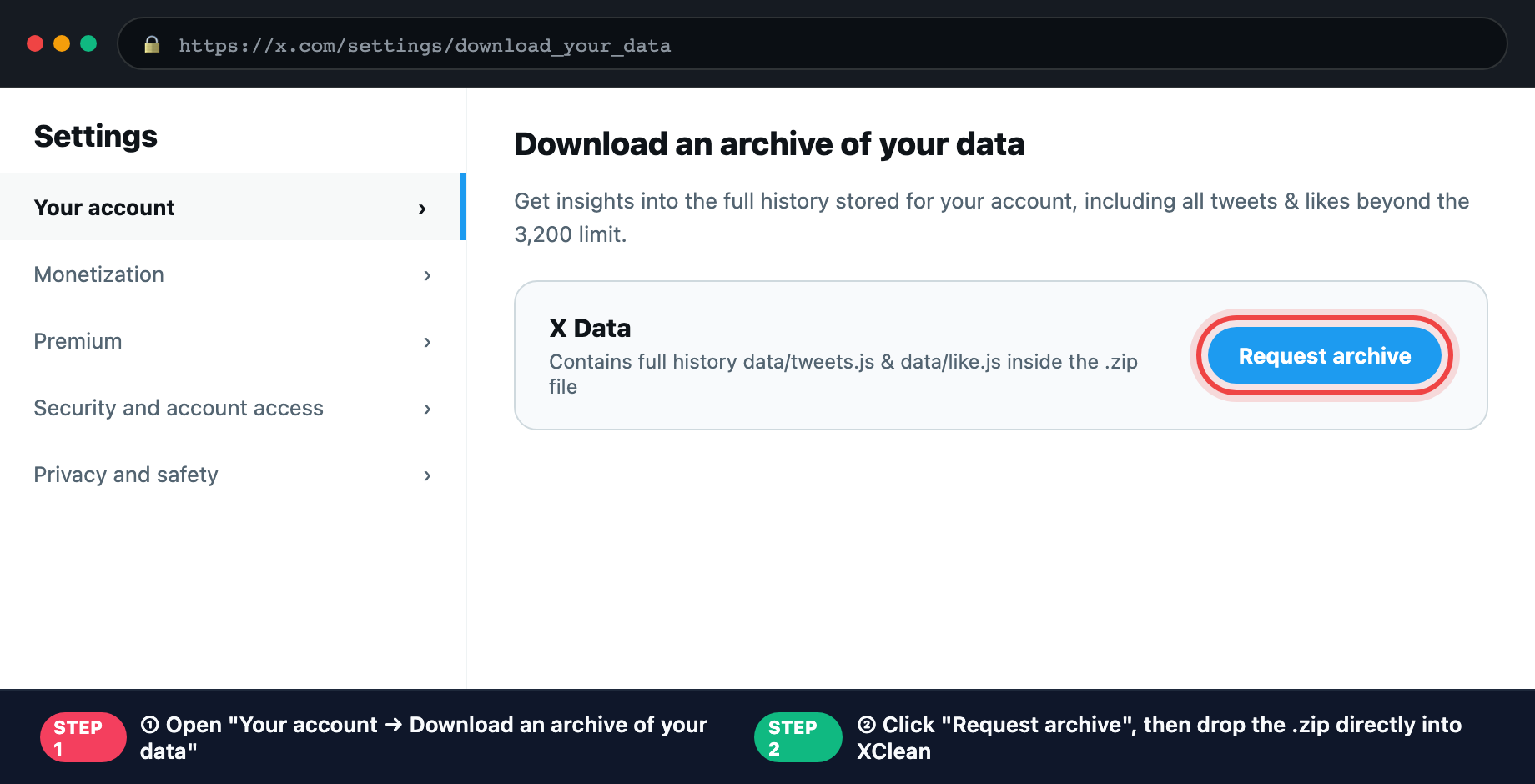
| Data Included | Posts, replies, and engagement metrics (likes/reposts/impressions) across custom date ranges (7D / 4W / 3M / custom). | 100% of all-time tweets, replies, retweets, AND all historical likes (data/tweets.js + data/like.js). |
| X Export URL | x.com/i/account_analytics/content (X Premium / Analytics tab) | x.com/settings/download_your_data (Free for all X accounts) |
| How XClean Parses It | Instant browser RFC-4180 CSV parsing in <5 ms, 100% offline. | Zero-unzip native browser ZIP64 slice parsing (~150 ms even on 100MB+ ZIPs). |
💡 Both files work out-of-the-box in XClean's Archive ZIP / CSV Parser with engagement & keyword whitelist protection.
4 Simple Steps to Export & Clean Privately
No API keys, no passwords, and no cloud uploads required.
Step 1: Choose Instant CSV or Full ZIP
Step 2: Drop Directly into XClean (No Unzip)
Step 3: Filter, Protect & Backup
Step 4: Safe Local Browser Cleanup
X Data Export FAQ
Common questions about downloading and parsing Twitter/X archives.
Ready to Parse Your X Archive or CSV Locally?
Visual Export Walkthrough (Where to Click on X.com)
Explore More XClean Tools & Guides
100% browser-local X (Twitter) cleanup workflows for every scenario.